


「THE SAINTNINE TOKYO」のスマホケースがcaseplayに登場!!
iPhone / Xperia / Pixel / Galaxyなどの全160機種以上に対応。
⚠️ 重要:商品カードが必要です
こちらの商品をご購入いただくには、ザ セイントナイン東京にて販売中の「商品カード」を事前にご購入いただく必要があります。
「商品カード」をお持ちでない場合は、ご注文をお受けできませんのでご注意ください。
【商品の購入方法】
<正しいご利用手順>
1.商品カードに記載のコードを「クーポンコード」欄に入力し、「適用」ボタンを押してください。
2.商品カードに記載の同一のコードを「購入コード」欄に入力し、「適用」ボタンを押してください。
※必ずクーポンコードを適用してから購入コードをご入力ください。
※クーポンコードを適用すると、画面上では自動的に大文字に変換されて表示されますが、購入コードの入力時は必ず商品カードに記載の文字列をそのまま、大文字・小文字を変えずにご入力ください。
3.合計金額が「0円」になっていることを確認のうえ、ご注文を確定してください。
なお、万一ご注文が正常に完了しない場合は、大変お手数ではございますが、お問い合わせフォームよりご連絡いただけますようお願い申し上げます。
Items
*You can select your device on the product page.
▼MagSafe
▼Pixelsnap
▼SnapMag
▼MagSafe
How to redeem a product card with a coupon code

Scan the QR code on your coupon card to visit the caseplay online store, where all products are listed.
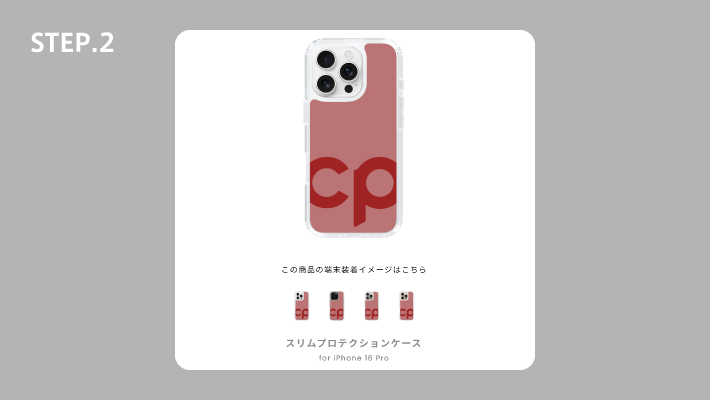
Tap the image of the product you would like to buy to open its product page.
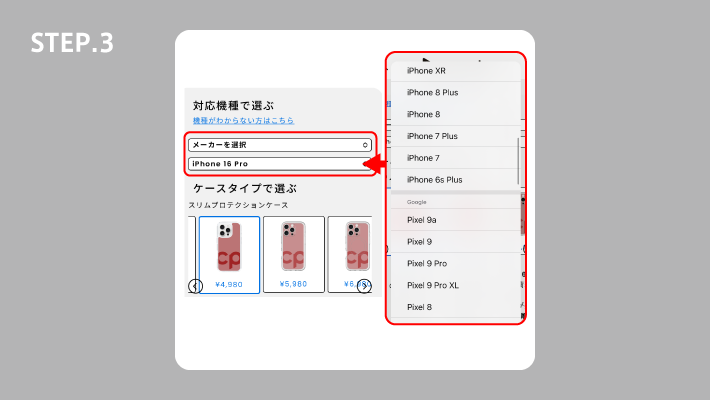
Select your device under "Choose by compatible device" to open the page for that device.
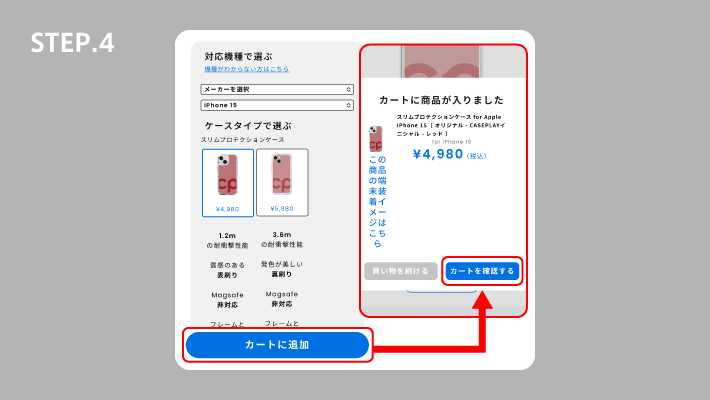
Check that you have selected the correct device, then tap "Add to cart". A confirmation will appear once the item is added — tap "View cart".
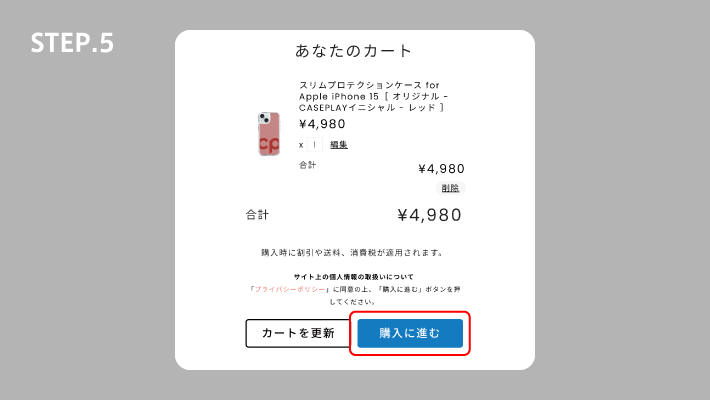
Check that the items you want are in your cart, then tap "Proceed to checkout".
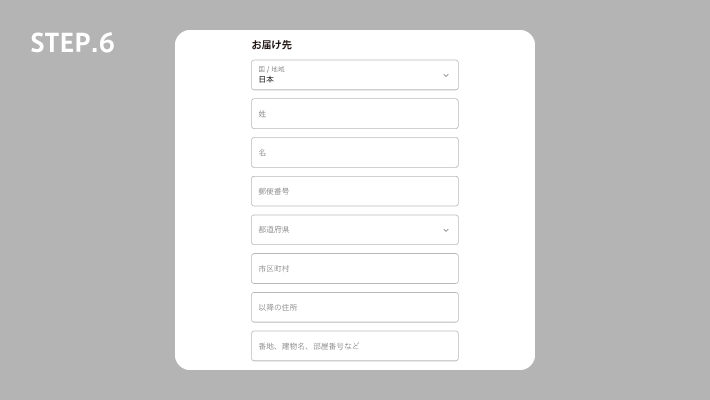
Enter your contact and delivery details, then check that everything is correct.
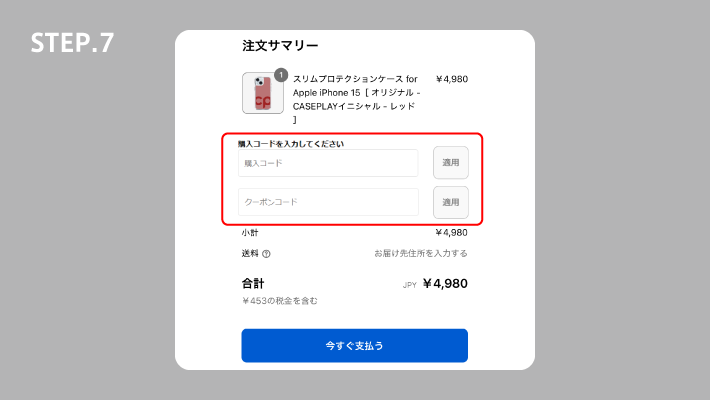
Under "Order summary", enter the coupon code shown on your coupon card into the "Coupon code" field, then tap "Apply".
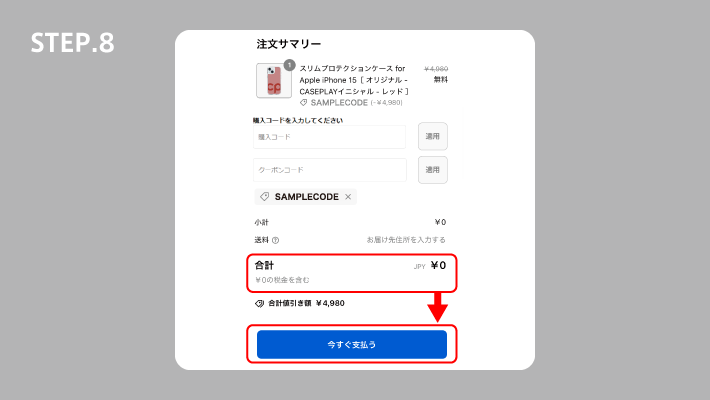
Once the coupon code is applied, the total becomes ¥0. If everything looks correct, tap "Pay now" to complete your order.
商品交換方法がご不明な方
下記よりお問い合わせ窓口がございます。
<お問い合わせ ご対応時間>土・日・祝日を除いた平日:10時〜17時
※ご返答には、検証や確認を含め、最大で3営業日ほどかかる場合がございます。予めご了承ください。